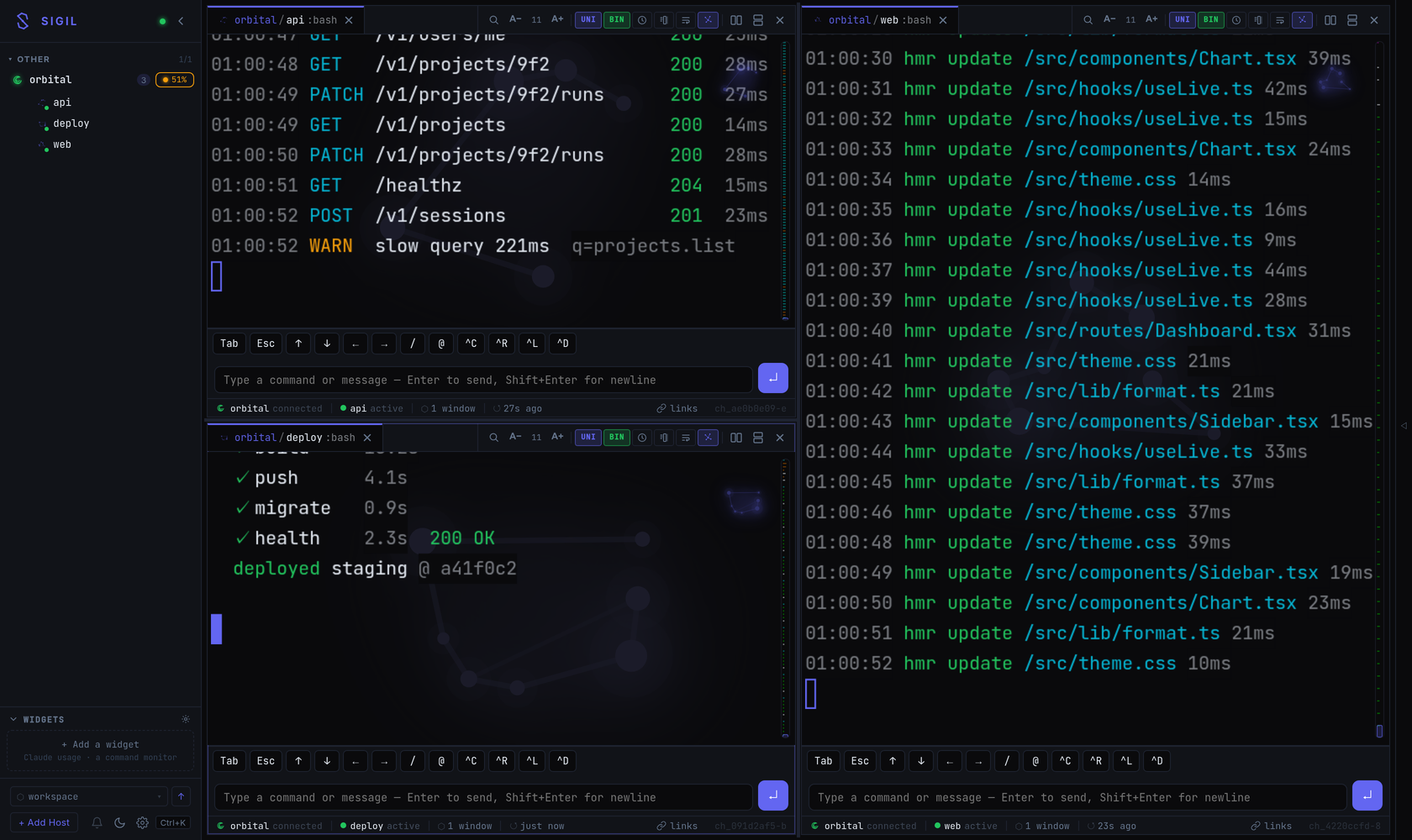
Three tmux sessions on one host, split across panes — live, reconnect-safe, in a browser.
A self-hosted hub for your terminal sessions — and for the AI coding
agents running inside them. SSH into your machines, attach to tmux, and get
every session as a fast, persistent web terminal — one browser tab for your whole fleet.
Running agents on remote hosts? Sigil answers the question a terminal can't: which sessions are working, which are blocked waiting on you, and what they're costing.
Three tmux sessions on one host, split across panes — live, reconnect-safe, in a browser.
A single Go daemon plus a web client. Nothing is installed on the machines you manage.
Sigil connects outward over SSH to machines you already have access to — no daemon, no sidecar. A host needs sshd, tmux and a shell: nothing else, and nothing new to trust.
tmux already keeps work alive across disconnects. Sigil adds replay-then-live reconnect, so a dropped tab resumes exactly where it left off with no lost output.
History is kept as logical lines, so copying doesn't inject hard wraps, text reflows to any width, and URLs stay intact and clickable.
Split panes and tabbed sessions on the desktop; a thumb-friendly layout with a bottom session strip on the phone. Installable as a PWA.
CPU, load, memory (PSI-aware), disk, network and top processes per host, collected over the same SSH connection.
Match a regex against a session's output and fire an effect: flash the pane, tint it, beep, toast, or call an HMAC-signed webhook.
An agent left running on a remote host is in one of three states you care about, and a terminal shows you none of them at a glance. Sigil reads the session itself and answers that across the whole fleet.
Sigil classifies live output from Claude Code and Codex CLI into working, waiting on you, or done — permission prompts, approval prompts, spinner frames and idle shells, including the narrow-pane and reflowed variants. The classifier is tested against real captured sessions, because the naive version shipped once and got it wrong in production.
Every session carries a signal — working, needs you, connected, idle — so an agent stuck on an approval prompt is visible from the session list, the TUI, or your phone, instead of being discovered an hour later.
/api/v1/agent-usage aggregates the provider's own local transcripts into
usage per host, for Claude and Codex. There is no scriptable claude usage
command; this fills that gap.
Match a regex against session output and fire an HMAC-signed webhook — the hook for pushing a stuck agent into Slack, Telegram, or your own orchestrator.
Named sessions come back after a tmux or host restart, so a long unattended run survives the kind of failure that otherwise ends it silently.
sigil doctor --json is meant to be consumed by a script — or by an agent
debugging its own environment.
Sigil does not run or schedule agents. It is the supervision and observability layer for agents you are already running under tmux.
Two processes and one TOML file. Full walkthrough in SETUP.md.
# build
git clone https://github.com/mijkal/sigil.git && cd sigil
make setup-config # writes ~/.config/sigil/config.toml
make build-web && make build

# configure: a token, and a host you can already ssh to
openssl rand -hex 32 # put this in hub.auth.tokens

# run — the hub on :7778, the web client on :7777
./dist/sigild --config ~/.config/sigil/config.toml
./dist/sigil-web -dir ./web/dist -backend http://127.0.0.1:7778

# if anything is wrong, ask it
sigil doctor # every failing check names the fix
sigil doctor --json # same, for a script or an LLM agent
Sigil is a remote shell. A valid token is equivalent to shell access on every host you configure, and captured scrollback persists whatever your terminals printed — including secrets you echoed. Run it on a trusted network (LAN, VPN, Tailscale) or behind a TLS-terminating proxy, and read SECURITY.md first.